
We recommend proactively adding hyperlinks to site content to enhance user experience and prevent frustration. For instance, when text instructs users to ‘contact us,’ link directly to the Contact page instead of making users search for how to get in touch.
Links
Helping your users navigate through the site
Hyperlinks
Link Proactively
Link Text
Hyperlink text should clearly describe the link’s purpose without relying on surrounding content for context. Phrases like ‘learn more’ or ‘click here’ are too vague—what exactly will the user be learning more about?
Redundant Links
Adjacent links to the same destination are redundant and confusing for keyboard / screen reader users, and should be avoided.
Buttons
Buttons are available in various module types and should be used to highlight your primary calls to action. They also automatically manage the unique behaviors of different link types, as noted below.
Phone / Email
If a phone number or email address appears, those should be linked like this: 555.555.5555 and [email protected].
- A link to 222-333-4444 would be tel:+12223334444
- A link to [email protected] would be mailto:[email protected]
Local Anchor Links
Our sites support local anchor links, which direct users to specific sections within a page.
Double-Check Link URLs
When adding links on the staging site, ensure URLs do not point to content from your current live site. All internal links should direct to pages within the staging site.
Internal Linking
Internal linking – linking between internal site content – is important for both users and SEO. People and crawlers can’t find content that isn’t linked to from other content.

Navigation
Our sites have a main menu in the header, and sometimes a second menu in the footer. These are defined in the Header and Footer pages of your WordPress Content site.
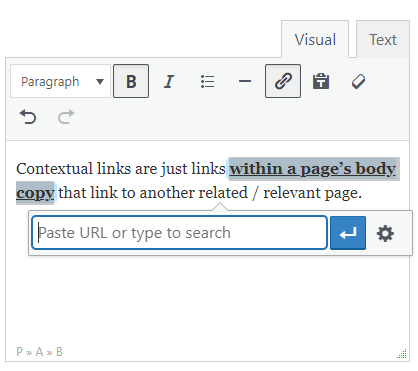
Contextual
Contextual links are just links within a page’s body copy that link to another related / relevant page.

Concluding Call To Action
A page may have multiple calls to action throughout, but should always end with at least one strong CTA. Since we want this CTA to have visual prominence, it should be created with an appropriate module. At minimum it should be a button, but something more than a contextual link.
If all pages will be driving to the same CTA (like a Contact page), it may make sense to incorporate this as part of the global footer instead of per-page.
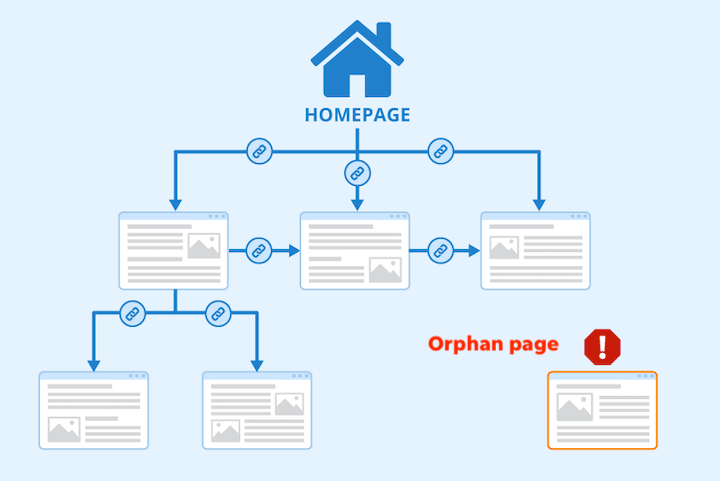
Parent / Child
In WordPress, parent pages are top-level pages, while child pages are subpages nested under them. This structure helps organize content, improves navigation, and affects URL paths (goshen.edu/academics/majors-minors/). It’s useful for grouping related pages and enhancing site organization.
Parent pages should almost always link to their child pages, whether within the page hierarchy, permalinks, or menus. Users expect parent pages to provide an overview and links to their child pages. Avoid orphan pages—pages that aren’t linked from any other part of your site.
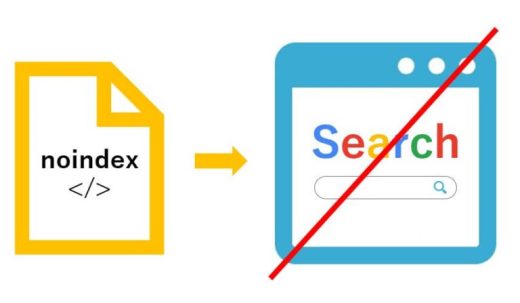
Exceptions
However, there may be instances when a page should not be discovered organically, such as a campaign-specific landing page intended only for paid media traffic. In these cases, go to the page’s Yoast SEO settings, expand the Advanced section, and set ‘Allow search engines to show this Page in search results?’ to No. This will set the page to ‘noindex,’ preventing it from appearing in sitemaps or search engine crawls. Note that this won’t stop someone from accessing the page by typing in the URL—use Password-Protected or Private settings to prevent accidental access.